
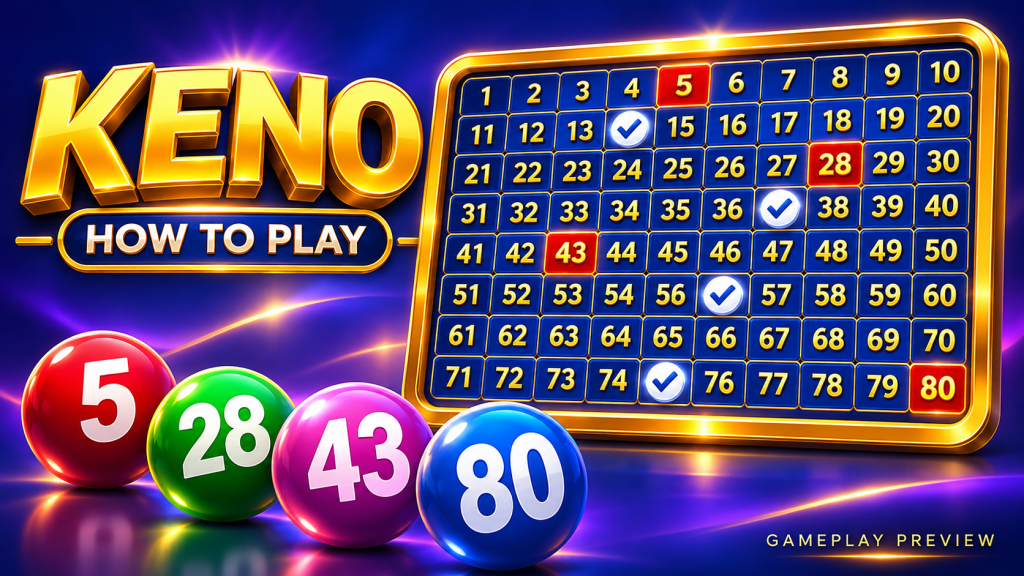
Your first Keno round is easier to follow when you know what each part of the screen represents. The board records your selections, the draw reveals numbers and the result panel summarizes matches and prizes. This 188jili walkthrough follows that sequence from setup to settlement.
Find the Rules and Payout Controls
Look for Help, Rules, Info or Paytable before making a selection. These controls explain the number pool, how many numbers are drawn and the permitted ticket sizes. They also tell you which match counts qualify for a prize.
A common Keno setup uses 80 available numbers with 20 drawn per round. Treat that as a familiar example rather than a requirement for every title. Some games change the board size or offer additional feature settings.
| Screen element | What it usually shows | First-round check |
|---|---|---|
| Number grid | Available and selected numbers | Confirm the number pool |
| Spot counter | Active selection count | Match your intended ticket size |
| Stake control | Amount per ticket or round | Read the label carefully |
| Draw strip | Revealed numbers | Separate it from your picks |
| Result panel | Matches and credited award | Confirm the settled outcome |
Build One Ticket
Choose a permitted spot count and mark your numbers. If you prefer automatic selection, use Quick Pick and verify the resulting count. Clear usually removes selections, while Repeat may reuse an earlier ticket; the exact behavior depends on the interface.
For 188jili readers, one useful habit is checking the selection counter immediately before starting. That catches an unintended tap without requiring you to scan every highlighted square.
Confirm the Final Round Cost
Set the stake and inspect any additional settings. Multiple tickets, optional features and repeated draws can change the total charge. If the interface displays both a ticket stake and a total bet, understand why they differ before proceeding.
An illustrative setup might use one ₱10 ticket for one draw. Two such tickets would cost ₱20 before any extra feature charges. This is a budgeting example, not a stated minimum for a particular game.
Follow the Draw Without Confusing the Highlights
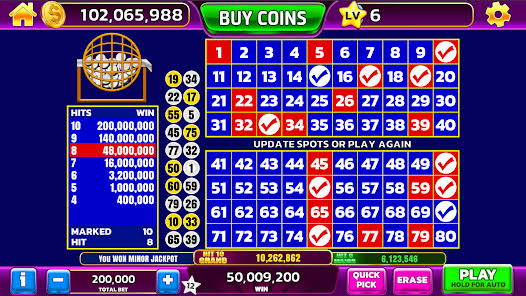
Selected Numbers
These are the choices recorded on your ticket. Their color may remain visible throughout the draw so you can compare them with incoming numbers.
Drawn Numbers and Catches
A drawn number becomes a catch only when it also appears among your selections. Games often use a different color or animation for those matches. Check the legend if the distinction is unclear.
| Hypothetical ticket | Match result | Correct interpretation |
|---|---|---|
| Four selected numbers | Two appear in the draw | Two catches on a four-spot ticket |
| Seven selected numbers | Three appear in the draw | Three catches on a seven-spot ticket |
| Ten selected numbers | None appear in the draw | Check the ten-spot zero-hit entry |
Check the Result Against the Right Table
Once the draw finishes, open the paytable for the original number of spots. A three-match result on a seven-spot ticket belongs to that seven-spot chart. It should not be read using the three-spot prizes.
This 188jili walkthrough also recommends checking whether a displayed multiplier is a total return. For example only, a ₱10 stake returning 2x produces ₱20 total, which is ₱10 above the stake. A separate feature cost would also need to be included when calculating the overall net result.
Use Round History When a Detail Is Unclear
History or transaction views can show accepted selections, stake, feature settings and credited returns. They are useful when the final animation disappears quickly or when a bonus adjustment is applied after the base result.
Before starting another round, verify whether the previous numbers and optional settings remain active. Reusing a ticket is convenient, but it is still a new round with a new accepted stake.
Make the Interface Familiar
After one complete round, the screen should tell a clear story: selected spots, drawn numbers, catches and the final award. That is the practical foundation 188jili readers can use when exploring other Keno layouts and features.